Configure Nexus As a Proxy for PyPi
Setup in Nexus
Firstly, you will need to setup a proxy for Pypi repository in Nexus. This will act as a cache for the packages that are downloaded from Pypi.
To do this, follow the steps below:
Configure Pypi Proxy
From the Nexus Dashboard, click on the `Settings` cog in the top right corner.
From the left hand menu, click on `Repositories`
Click on the `Create repository` button
Select `PyPi (proxy)`
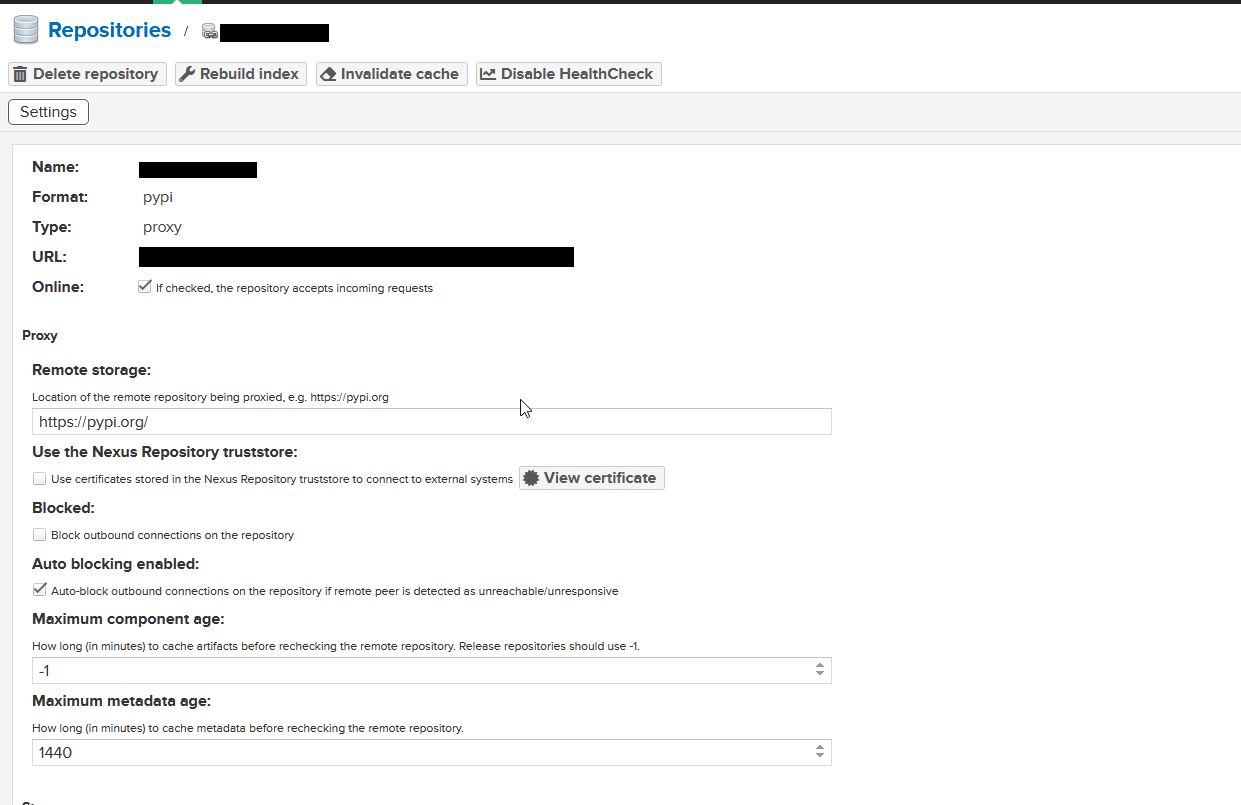
Enter the following details:
Repository ID: `pypi-proxy`
Repository Name: `PyPi Proxy`
Remote Storage: `https://pypi.org/`
Next, associate the proxy with a group, this will allow you to use the proxy as a source for packages both from Pypi and from any private repositories you create.
Setup Nexus Group
From the Nexus Dashboard, click on the `Settings` cog in the top right corner.
From the left hand menu, click on `Repositories`
Click on the `Create repository` button
Select `PyPi (group)`
Enter the following details:
Repository ID: `pypi-group`
Repository Name: `PyPi Group`
Click on the `Add` button in the `Member repositories` section
Select the `pypi-proxy` repository and click on `Add selected`
Setting up pip.conf
Create a file called `pip.conf` either globally or within the venv.
Open the file and add the following:
[global] index = https://$DOMAIN/repository/pypi-group/pypi index-url = https://$DOMAIN/repository/pypi-group/simple [pypi] repositroy: https://$DOMAIN/repository/pypi-group/Replace `$DOMAIN` with the domain of your Nexus server. Now to test, run the following command:
pip -v install requestsverify that the package is downloaded via your Nexus server. by checking the domain.